MikroTik: fewer colorful wizards, more real networking
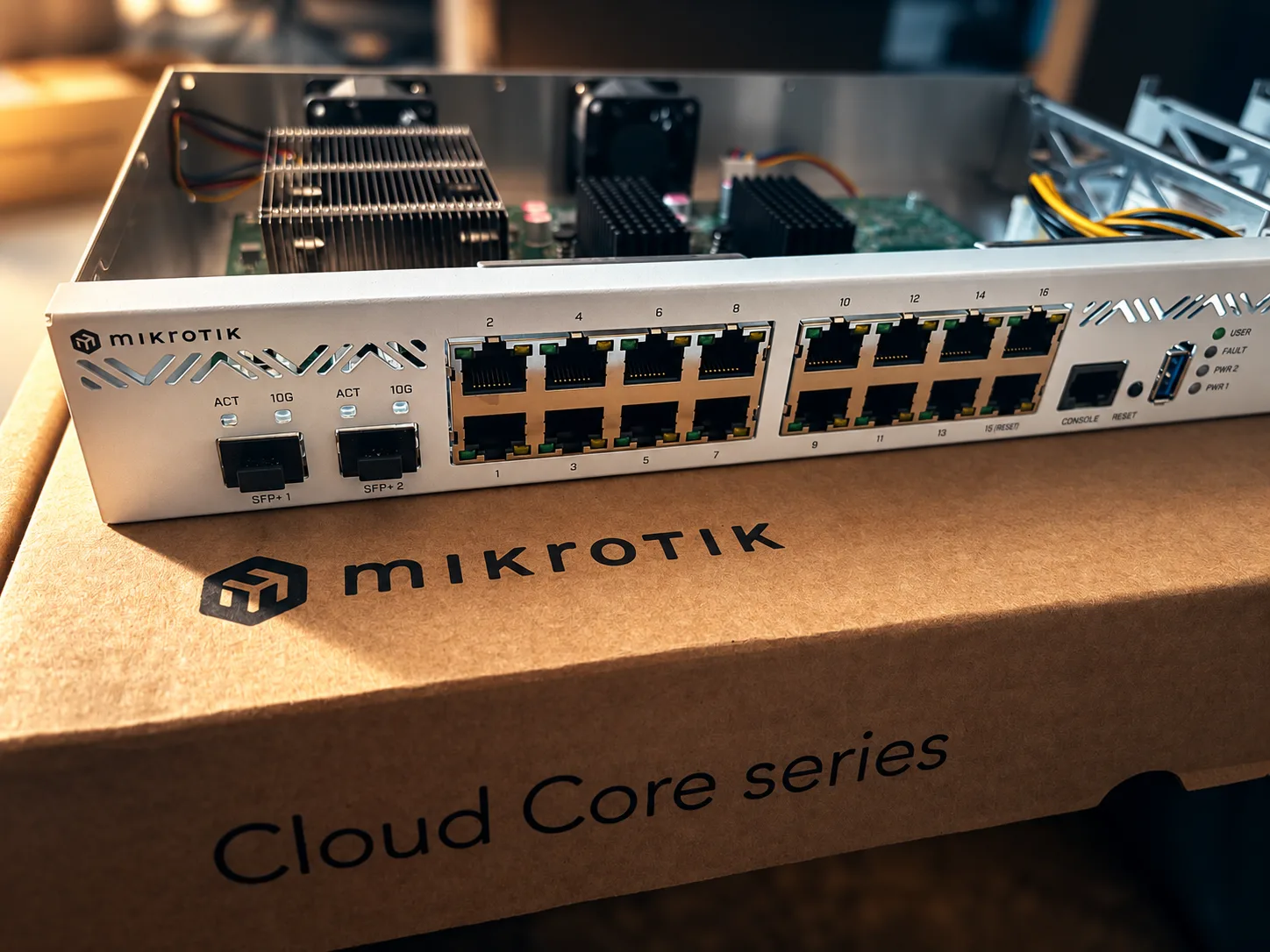
There is a strange belief that has taken hold in networking over the last few years: if a product has a beautiful dashboard, animated charts, big buttons, guided procedures and reassuring indicators telling us that "everything is fine", then it must necessarily be a better product.
It is not.
Sometimes we have simply built ever more sophisticated interfaces so that whoever configures a network never has to really understand what is happening underneath.
And it is precisely with MikroTik that this difference becomes clear.
MikroTik is not hardware that tries to reassure the user. It is hardware that speaks to the technician. It gives you functions, tools, protocols and often a level of transparency about the underlying architecture that other vendors prefer to hide behind more reassuring layers of abstraction. Then, though, it expects you to know what to do with all of it.
It can look like a drawback. For those who really work on networks, it is often exactly the opposite.
Cheap hardware that does not think of itself as "entry level"
Take a trivial example. The current hEX S is offered by MikroTik at 69 dollars and provides five Gigabit ports, SFP, 512 MB of RAM, PoE-in, PoE-out and RouterOS 7. The interesting point, though, is not so much the hardware as the fact that the software does not decide to treat you as a low-end user just because you bought a cheap device.
RouterOS provides advanced routing, VPN, stateful firewall, policy routing, OSPF, BGP, VRF, WireGuard, IPsec, VLAN, MPLS and many other tools. Of course this does not mean that every device can sustain any load, or that a machine costing a few tens of euros should be treated as a carrier router. It does mean that the product logic is different from the very common one where features are artificially segmented by price list.
In traditional networking we got used to paying not only for the hardware, but also for the right to use certain capabilities that the hardware would be perfectly able to run. One feature belongs to a higher tier, another requires a license, yet another comes with a subscription. MikroTik, far more often, starts from a different stance: this is the machine, this is RouterOS, now build on top of it whatever you need.
Price matters, but what that price lets you do matters even more
The price/performance ratio is probably the first thing that draws many people to MikroTik. After years of use, though, you realize that the most interesting advantage is not simply the low cost. It is the ratio between cost and operational freedom.
A CRS326-24G-2S+RM offers 24 Gigabit ports and two 10 Gigabit SFP+ at a suggested price just above 200 dollars. A CCR2004-16G-2S+ provides sixteen Gigabit ports, two 10 Gigabit SFP+, 4 GB of RAM, a quad-core ARM64 CPU and dual AC power supplies for less than 500 dollars.
And this is where certain comparisons with traditional networking start to get interesting.
Cisco Meraki, for example, builds part of its value on centralized cloud management, operational simplicity and standardization. These are real advantages and, in certain contexts, they can be exactly what you need. But every Meraki hardware component requires a cloud license to be managed. In that model you therefore pay not only for the device, but also for the commercial operating system around it and the management experience that comes with it.
The question to ask is simple: how much are we paying for the networking, and how much are we paying for the packaging that spares us from having to know it in depth?
With MikroTik the economic weight is shifted much more toward the actual technical capability.
The comparison with UniFi is more interesting
With Ubiquiti the picture changes. It would be unfair to put it in the same box as vendors who base much of their business model on recurring licenses. UniFi has built an ecosystem in which local control remains important and, above all, it has done very well one thing that MikroTik historically never treated as a priority: making a complex network visually simple.
The centralized controller, the maps, the topology, client visibility and coordinated configuration make the experience far more accessible. That is a merit.
The risk, though, is that this convenience also changes the way you reason about the network. You start thinking through what the controller shows, instead of starting from what the network is actually doing.
MikroTik forces you, far more often, to take the opposite path. You have to understand where the traffic goes, when the CPU steps in, when the switch chip works, whether a VLAN is really offloaded, what the limits of the hardware path are, and which configurations push packets out of the most efficient pipeline.
It is more demanding, but once you have understood the architecture you are not simply using an interface. You are controlling the network.
MikroTik's real advantage is also in knowing the hardware
This is probably the most important point, and also the one most often misunderstood.
It is not enough to read on a datasheet that a router has sixteen Gigabit ports. You have to understand how those sixteen ports are connected to the rest of the system.
In the CCR2004-16G-2S+, for example, the Ethernet ports are organized in two groups of eight, each connected to a Marvell switch chip. Each switch chip talks to the CPU through a 10 Gigabit full-duplex link, while the two SFP+ ports have their own high-speed links to the CPU.
This information changes the correct way to design traffic flows.
Two configurations that look equivalent on paper can behave very differently if they force traffic along different paths inside the hardware. And this is exactly where you see how much MikroTik rewards competence. Two people can buy the same device and get radically different results. One considers it outstanding, the other claims performance is disappointing. Often the difference is not in the product, but in the understanding of the architecture.
It is not gratuitous complexity
At this point the typical objection is that a good device should handle all of this automatically.
It depends on the context.
For a home router it can be a reasonable request. For a business infrastructure I prefer to know exactly where the packets end up and which component is processing them.
MikroTik documents hardware offloading in great detail precisely because RouterOS lets you distinguish between operations done by the CPU and operations delegated to the switch chip. Layer 3 Hardware Offloading, when supported by the device and the configuration, lets you route directly in hardware and reach throughput that the CPU alone could not sustain.
The price of this freedom is that you have to know the platform. You need to know which features are actually offloaded, which chipsets support them, what limits are present and which configuration can push processing back onto the CPU.
I do not consider it a flaw. I consider it a level of technical transparency that many other products deliberately try to hide.
On routing MikroTik has always been on home ground
If there is one area where MikroTik has little to prove, it is routing.
RouterOS provides BGP, OSPF, BFD, policy routing, VRF, ECMP, MPLS, RPKI, EVPN and a wealth of tools that let you build extremely sophisticated architectures. RouterOS 7 has also deeply modernized the routing stack and the ability to spread processing across multiple cores.
This does not mean that a CCR costing a few hundred euros replaces any carrier-grade router or any enterprise platform on the market.
It does mean that, in a huge number of real scenarios, you can build extremely advanced routing infrastructures without entering the cost levels traditionally associated with that kind of capability.
You can handle complex multi-WAN setups, multiple BGP upstreams, segmentation through VRF, OSPF, VPN, redundancy and very granular policies while staying in the same operating environment. Above all, you do not have to find out every time whether the feature you need does or does not belong to your commercial tier.
On switching MikroTik has improved enormously
Historically I would not have described MikroTik first and foremost as a switch maker.
Today the picture is very different.
The recent CRS platforms, especially those based on Marvell Prestera switch chips, have made a big jump. RouterOS supports Layer 2 and Layer 3 hardware offloading on many models and, on compatible devices, it also provides advanced features such as hardware-offloaded MLAG and routing directly on the switch chip.
This lets you build devices that switch at wire speed and that, in certain configurations, can also handle Layer 3 in hardware with very high performance.
Here, though, the fundamental MikroTik principle returns: you have to know exactly what you are buying.
You do not choose a CRS just by counting ports. You have to look at the switch chip, the CPU, the link between CPU and switch chip, the size of the hardware tables and the features that can actually be accelerated.
MikroTik punishes the superficial purchase, but it hugely rewards the informed one.
Wireless: very strong where it counts, less convincing where others are more specialized
On wireless you have to avoid fanaticism.
In outdoor point-to-point and point-to-multipoint MikroTik has a very strong tradition. Over the years it has built cheap devices, CPEs, integrated systems, directional antennas, 60 GHz solutions and extremely flexible platforms for links that, with other vendors, would often cost far more.
The ability to work deeply on the radio parameters and the experience gained in WISP scenarios have made MikroTik particularly interesting in this field.
On indoor wireless, however, I would be much more cautious.
MikroTik has recovered a lot of ground, it now offers Wi-Fi 6 and Wi-Fi 7 products and keeps improving quickly, but in high-density installations, where roaming, automated RF management, a centralized controller and operational simplicity across many access points matter a great deal, other vendors can offer a better experience.
This does not reduce the overall value of the platform. If anything, it makes it more credible to acknowledge that there is no single best vendor in every area.
Then there is a parameter almost no one talks about: the real life of the product
And here we come to the part that, for me, tells the MikroTik story better than many benchmarks.
I have a CCR1009-8G-1S.
The model was introduced in 2014 and was based on a nine-core TILE-Gx CPU. It is now 2026.
The important point is that I am not replacing it because it stopped working. I am not changing it because it drops packets, because it can no longer do its job, or because some license made it unusable.
I am replacing it as a precaution.
After more than twelve years of that platform, I simply think it is sensible to move an important role onto more recent hardware.

To me, that is reliability.
A product that after more than twelve years keeps doing its job, and that I have to decide to retire myself, is the exact opposite of commercial obsolescence.
The software policy also says a lot about MikroTik's philosophy
Hardware longevity would be far less interesting if the software followed an aggressive abandonment policy.
MikroTik instead has an almost anomalous tradition of keeping very old devices supported as long as the architecture and the resources allow it. Of course this does not mean that every old RouterBOARD must run every new RouterOS 7 feature, or that very dated hardware has no obvious limits.
It does mean that the underlying philosophy is different from planned obsolescence by commercial tier.
As long as a device is technically usable, the goal is to keep it alive.
For anyone who manages infrastructure, this trait has enormous economic value.
From the CCR1009 to the CCR2004
The replacement I chose for my CCR1009 is a CCR2004-16G-2S+.
The comparison between the two generations is interesting from an economic standpoint too. In 2014 the CCR1009-8G-1S was offered at 425 dollars. Today the CCR2004-16G-2S+ has a suggested price of 465 dollars.
In nominal terms the difference is minimal, while more than twelve years of hardware evolution passed between the two products.
On the new model we find ARM64 architecture, 4 GB of RAM, sixteen Gigabit ports, two 10 Gigabit SFP+, dual AC power and a clearly more modern RouterOS 7 environment.
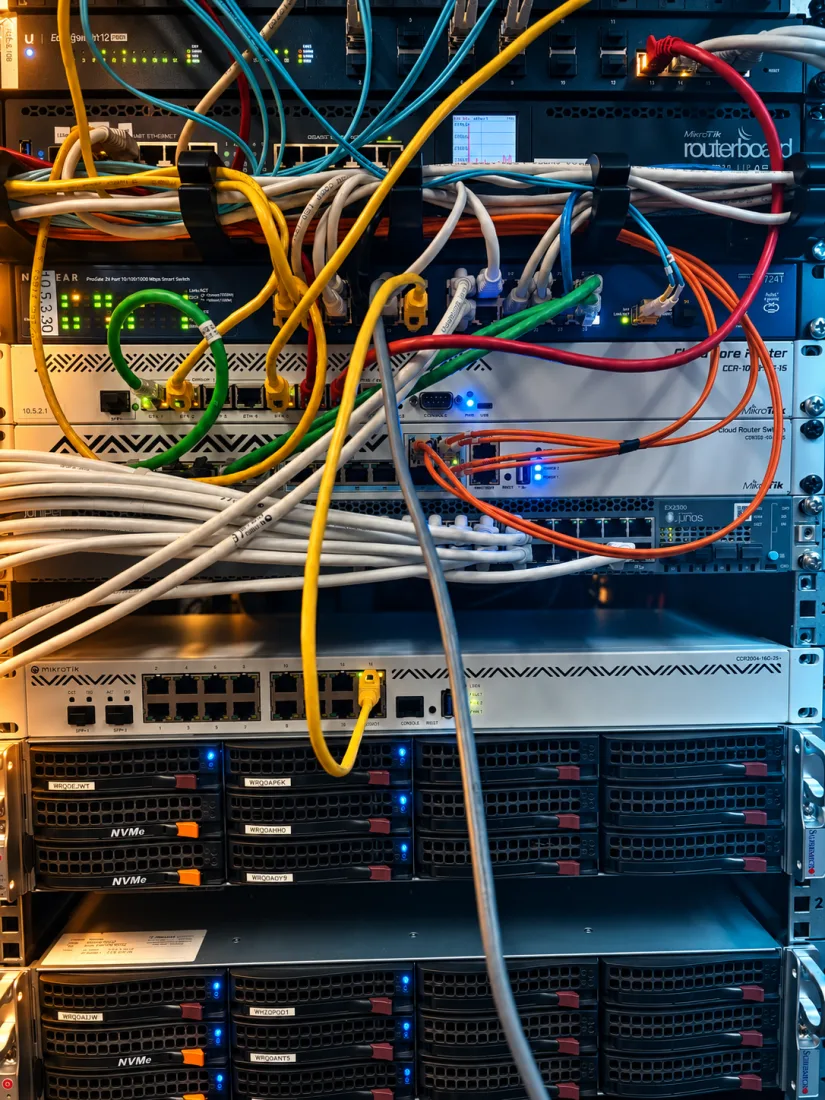
This comparison sums up MikroTik's price/performance ratio very well. The hardware has become enormously more capable without the price exploding to the same degree.
Migrating from RouterOS 6 to RouterOS 7 without turning it into an epic event
The replacement was prepared entirely in the lab.
I did not blindly copy the old device's configuration. I preferred to rebuild it on the CCR2004, taking into account the new architecture and the move from RouterOS 6 to RouterOS 7.
After a few hours of configuration, checks and fine tuning, the new router was ready.
The actual cutover in production took less than a minute.
I powered off the old CCR1009, connected the CCR2004, and traffic was back almost immediately.
The time that matters is not the downtime. It is the time invested beforehand to understand the infrastructure, prepare the machine and verify that everything was consistent.
That is how a device swap should be handled.
The point is not that MikroTik is easy
It is not.
And we should not pretend that this is necessarily a criticism.
MikroTik requires competence. RouterOS provides enormous freedom and, for that very reason, it lets you build both excellent configurations and inefficient infrastructures.
You can push traffic through the CPU for no reason, lose hardware offload, design bridges badly, or buy a CRS expecting the behavior of a CCR. You can also choose the wrong model because you only looked at the number of ports without studying the block diagram.
But this does not mean the product is worse.
It means that a professional tool requires professional competence.
Enterprise is not an animation in the dashboard
This is perhaps the most important part.
In recent years we started to confuse the word "enterprise" with ease of administration.
They are two different things.
An enterprise network should be built with redundancy, traffic predictability, diagnostics, automation, segmentation, observability and, above all, the ability to understand what happens when something stops working.
A nice dashboard can be very useful. A centralized controller can save a lot of time. A guided procedure can reduce errors.
But none of these things replaces a good architecture.
The packet does not know that the button the administrator pressed was green and that the GUI showed a nice animation. It keeps moving based on the routing table, the forwarding table, next-hop, MTU, VLAN, conntrack, queues, CPU and switch chip.
We can represent this complexity with a more elegant interface. We cannot make it disappear.
Wizards are useful, but they should serve the technicians
This is not a battle against graphical interfaces.
I happily use WinBox and I consider a good GUI an important tool.
The difference is that an interface should speed up the work of someone who understands what they are configuring, not become a substitute for that understanding.
Sooner or later something breaks.
When it does, the topology turns red, an alarm appears and the controller reports that there is a problem.
From that moment on, you still have to understand why.
And that is where I prefer to have in front of me a platform that lets me go down to whatever level is needed to find the cause.
MikroTik allows that.
You do not need to buy expensive networking. You need to buy the right networking
There are situations where I would choose Cisco, others where I would choose Juniper, firewalls for which I would prefer Fortinet, and indoor wireless installations where other vendors would probably be a better fit. There are also deployments where UniFi is exactly the best compromise between simplicity, cost and capability.
It is not a religion.
It is engineering.
That is precisely why I find it reductive to keep classifying MikroTik as a simply "cheap" solution for small networks.
Cheap is the price.
Not necessarily what you can build with it.
A router does not become enterprise because it costs eight thousand euros, and it does not stop being one because it costs less than five hundred. It depends on the role it has to play, the architecture it is placed in, the redundancy planned, the protocols used and, above all, the competence of whoever configures it.
MikroTik sells something that has become rare: technical freedom
Maybe in the end the real product is not even RouterOS.
It is the freedom that comes from having in front of you a platform that rarely tries to decide for you how the network should be built.
If you need BGP, RouterOS provides it. If you need a VRF, you can build it. If the device has to become an edge router, a VPN concentrator, an MPLS node, a CPE or part of an unusually shaped topology, the platform tends to leave you the option to do it.
The point is that you have to know what you are doing.
And that is the deal.
MikroTik costs little not because it treats networking as something simple. Paradoxically, it costs little while letting you treat it as something complex.
Many other vendors add layers to hide that complexity.
MikroTik, very often, puts it right in front of you.
For an inexperienced user it can be intimidating. For a skilled technician it means having control.
After more than twelve years my CCR1009 could still keep working. I am replacing it because I consider it the right time, not because someone forced me to.
The new CCR2004 was prepared in the lab, configured, verified and moved into production with less than a minute of interruption.
There was no magic, no miraculous wizard and no animation that virtually transferred the network from the old device to the new one.
There was only knowledge of the infrastructure, preparation and hardware that did exactly what it was asked to do.
It is less spectacular than an animated dashboard.
But that is how I prefer networks to work.